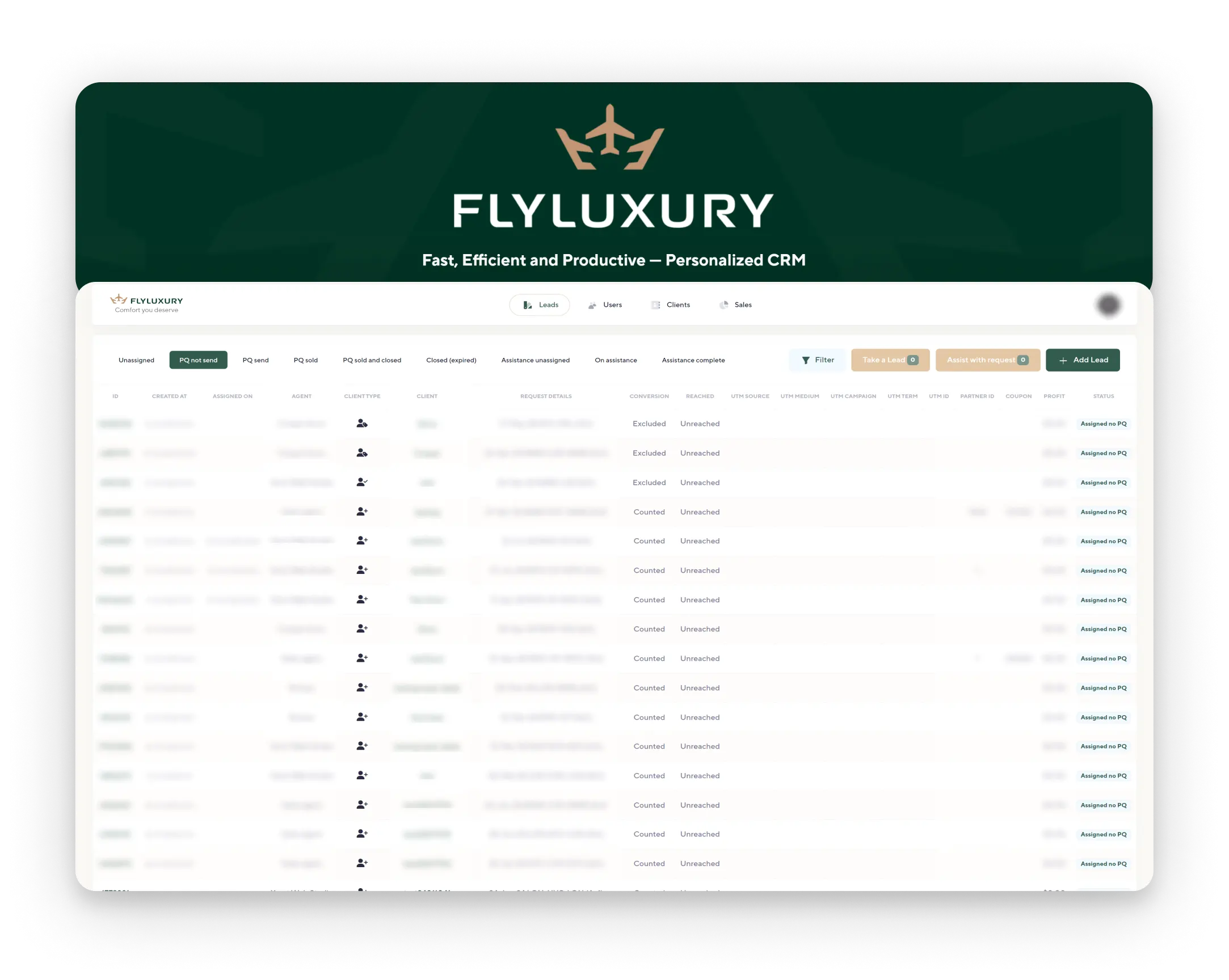



background_flyluxury
#Project presentation

FlyLuxury CRM

A service for purchasing business class airline tickets. Custom CRM
Launch Date: November 2023
block_background_flyluxury

About the Service

Expertise

Analytics and design, CRM frontend and backend development from scratch, integrations, project development

Launch Date

November 2023

Details

FlyLuxury offers clients a new level of travel, guiding them through exclusive offers for first and business class tickets.
The FlyLuxury team consists of experienced professionals with over ten years in the travel industry. They strive to find the best offers and ensure a seamless travel experience from start to finish.
block_background_flyluxury block_background_flyluxury

Problem

Manual processing and handling of requests slow down business processes, resulting in many routine tasks being performed slowly, reducing employee efficiency, and the company’s slow growth.
block_background_flyluxury

Solution

Develop a custom CRM system tailored to the company’s business processes, enabling business automation, increasing employee efficiency, and significantly advancing the company.
background_lines

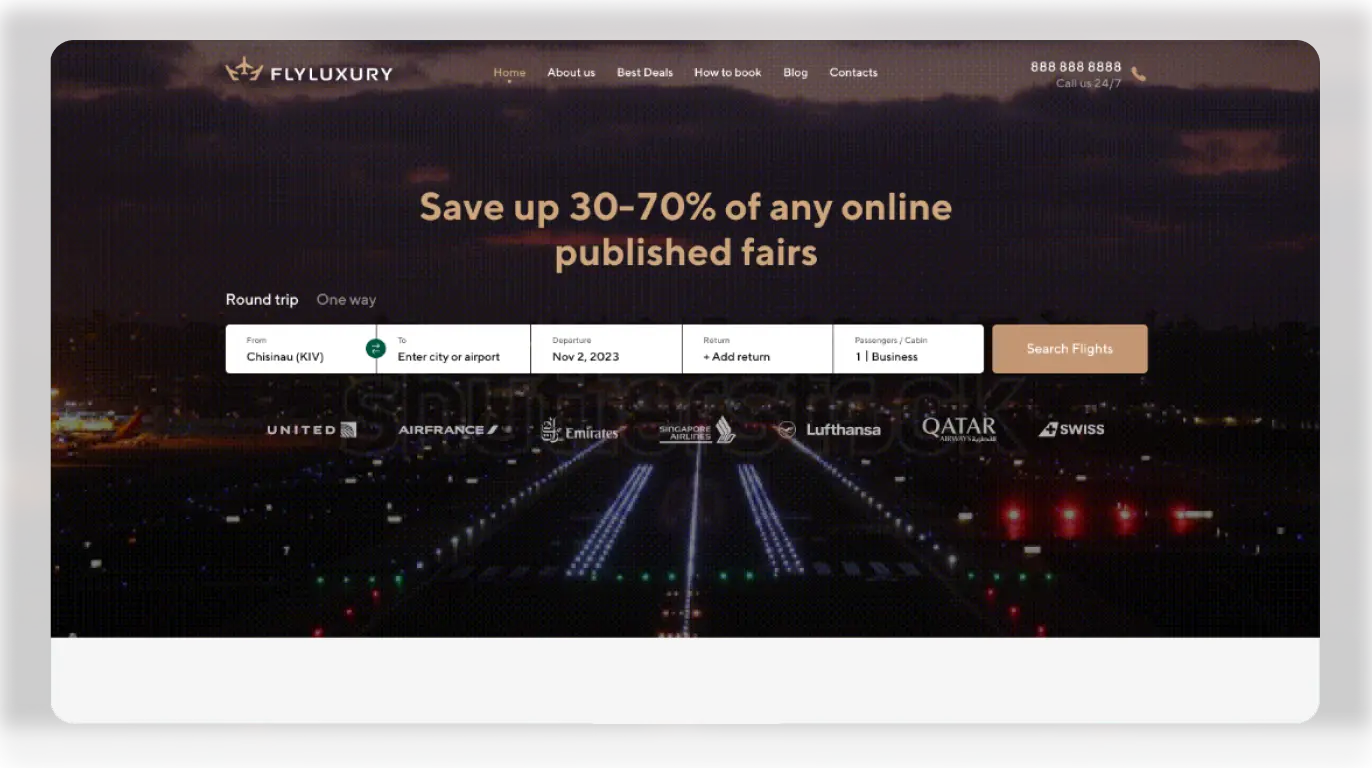
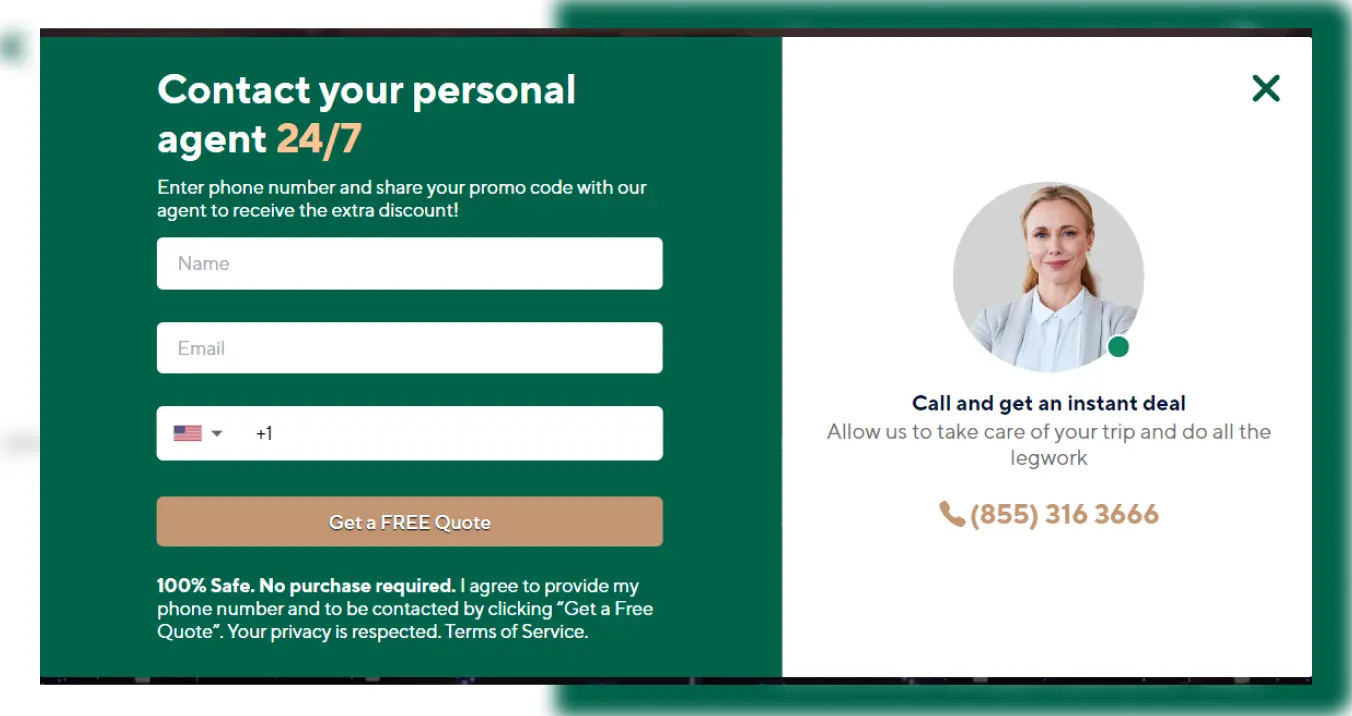
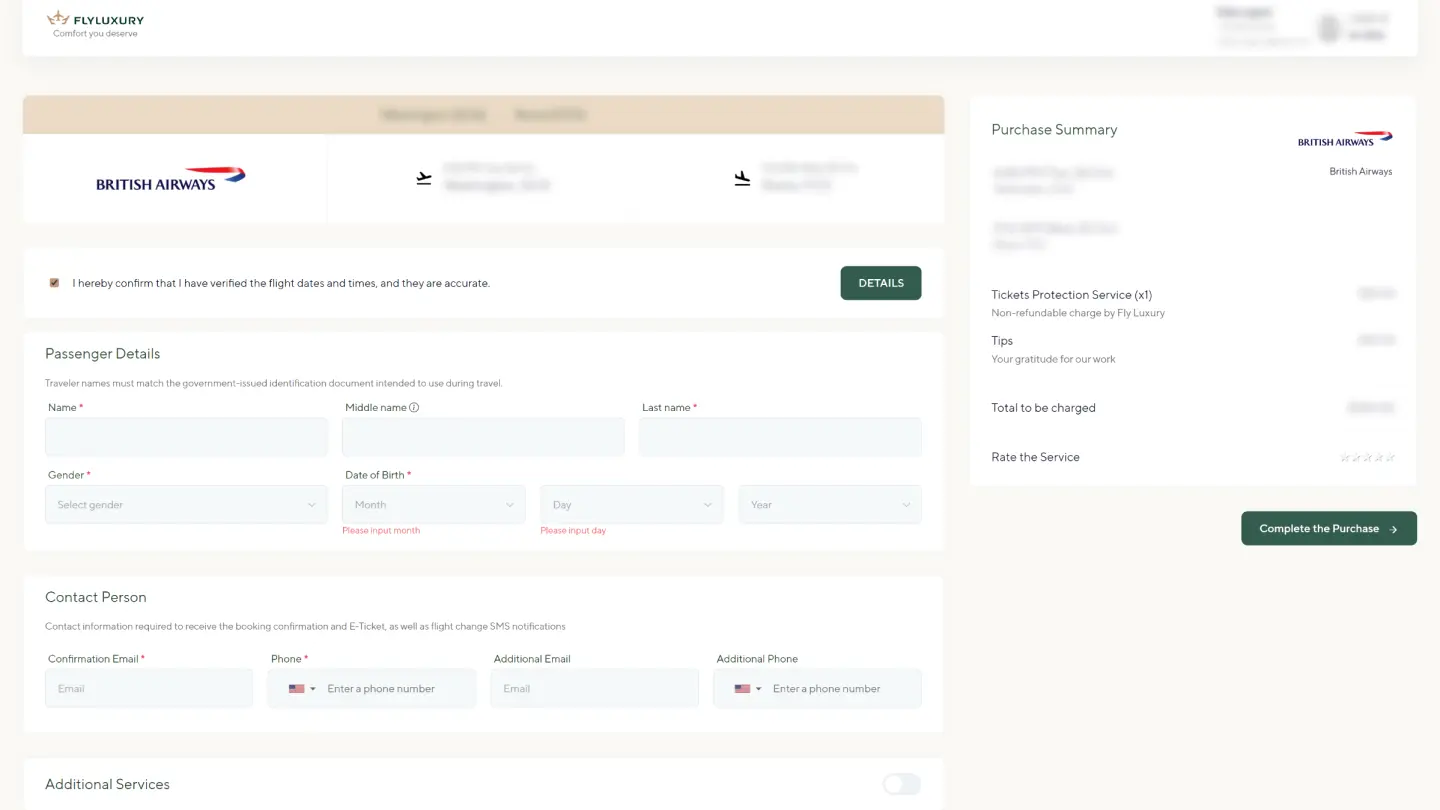
Integration with FlyLuxury Website

Our integrated solutions automatically transfer completed requests from the website to the CRM system.
flyluxury_index_page
flyluxury_modal
flyluxury_crm
background_img

Optimization of Request Processing and Deal Execution

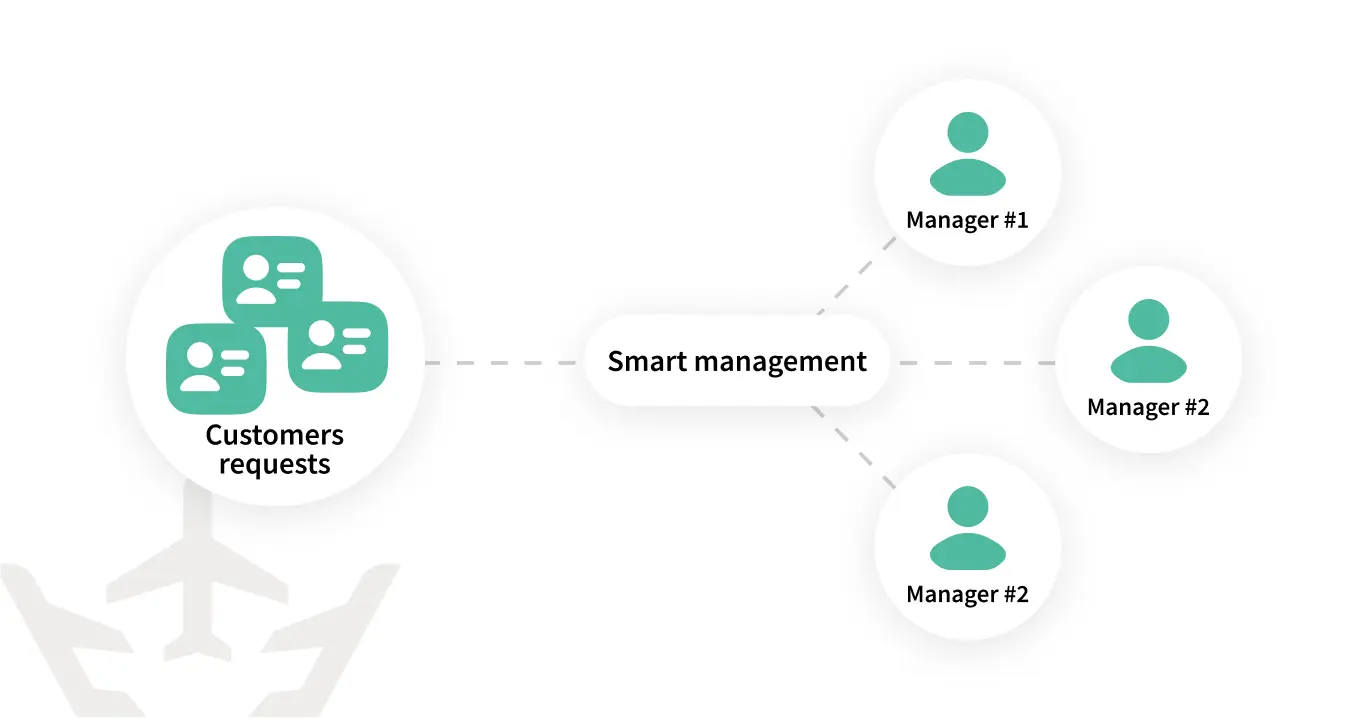
Implementation of “Smart Management” technology — automatic assignment of requests and even distribution of workload among employees.
By default, the CRM system is set so that new leads from a client who has already been successfully handled by an agent are automatically assigned to that same agent.
flyluxury_optimisation
background_logo
flyluxury_leads_img

#Leads

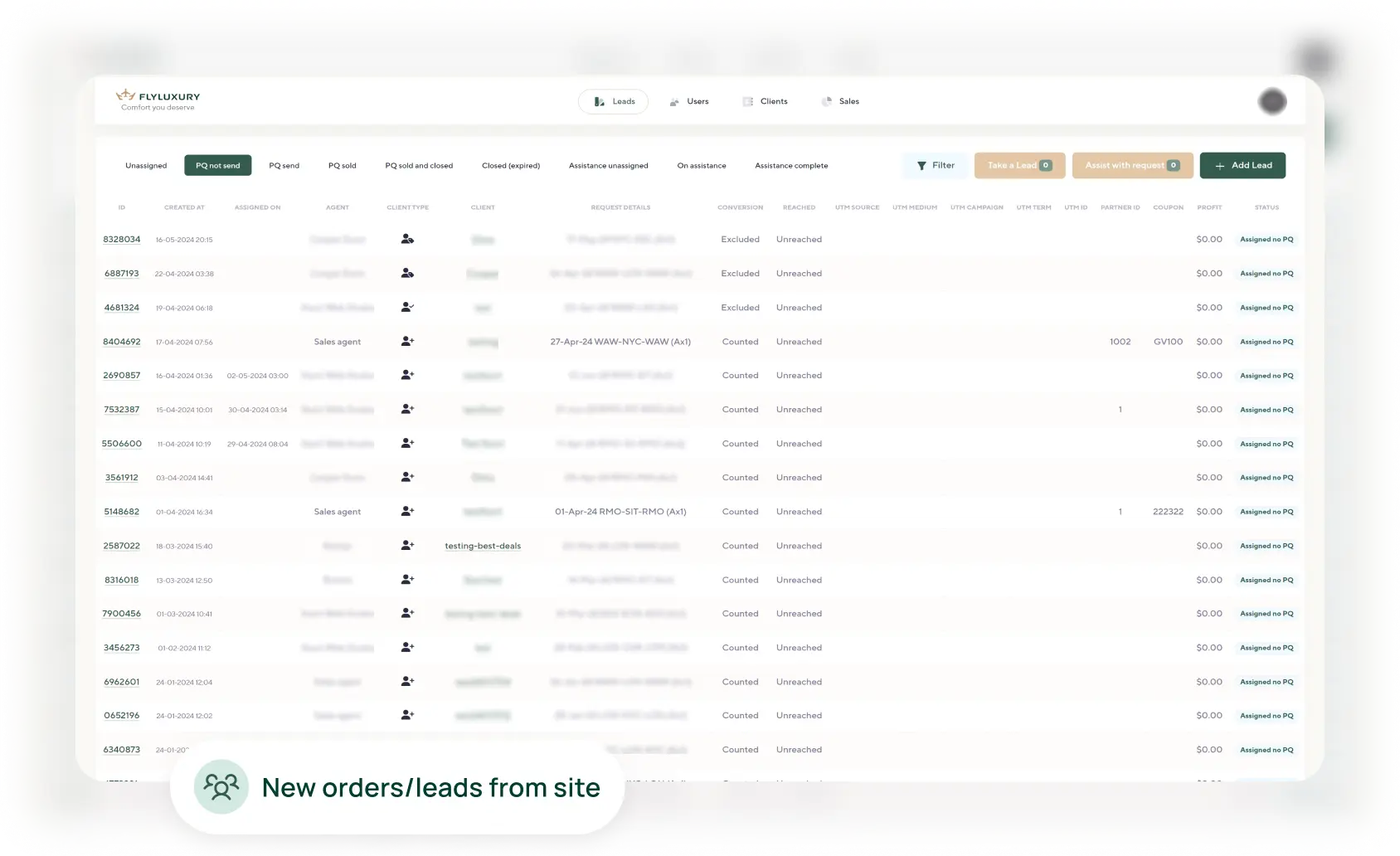
Leads Section

This is one of the main sections for agent work. In it, the agent can:
- Take on or create new leads
- View their leads, add additional information
- Create and edit ticket purchase offers
- Send ticket purchase proposals via email to clients
- Create Sales from individual ticket purchase offers
- Change the status of inactive leads
flyluxury_leads_img

#Leads

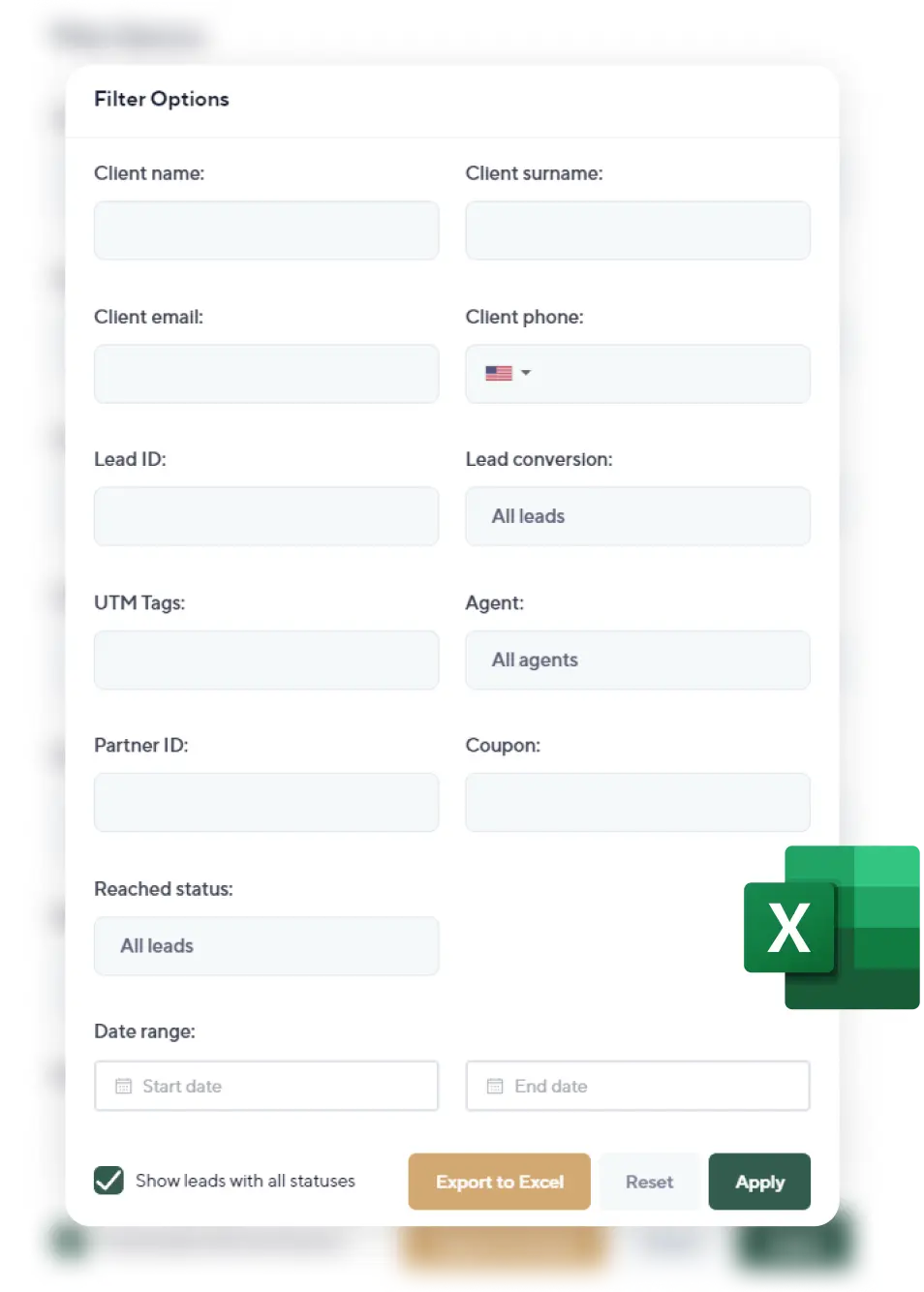
Search, Filtering in CRM, and Report Generation

To ensure convenient and quick access to necessary information, a search and detailed filtering functionality has been added to the system.
Reports can also be generated.
flyluxury_leads_img

#Leads

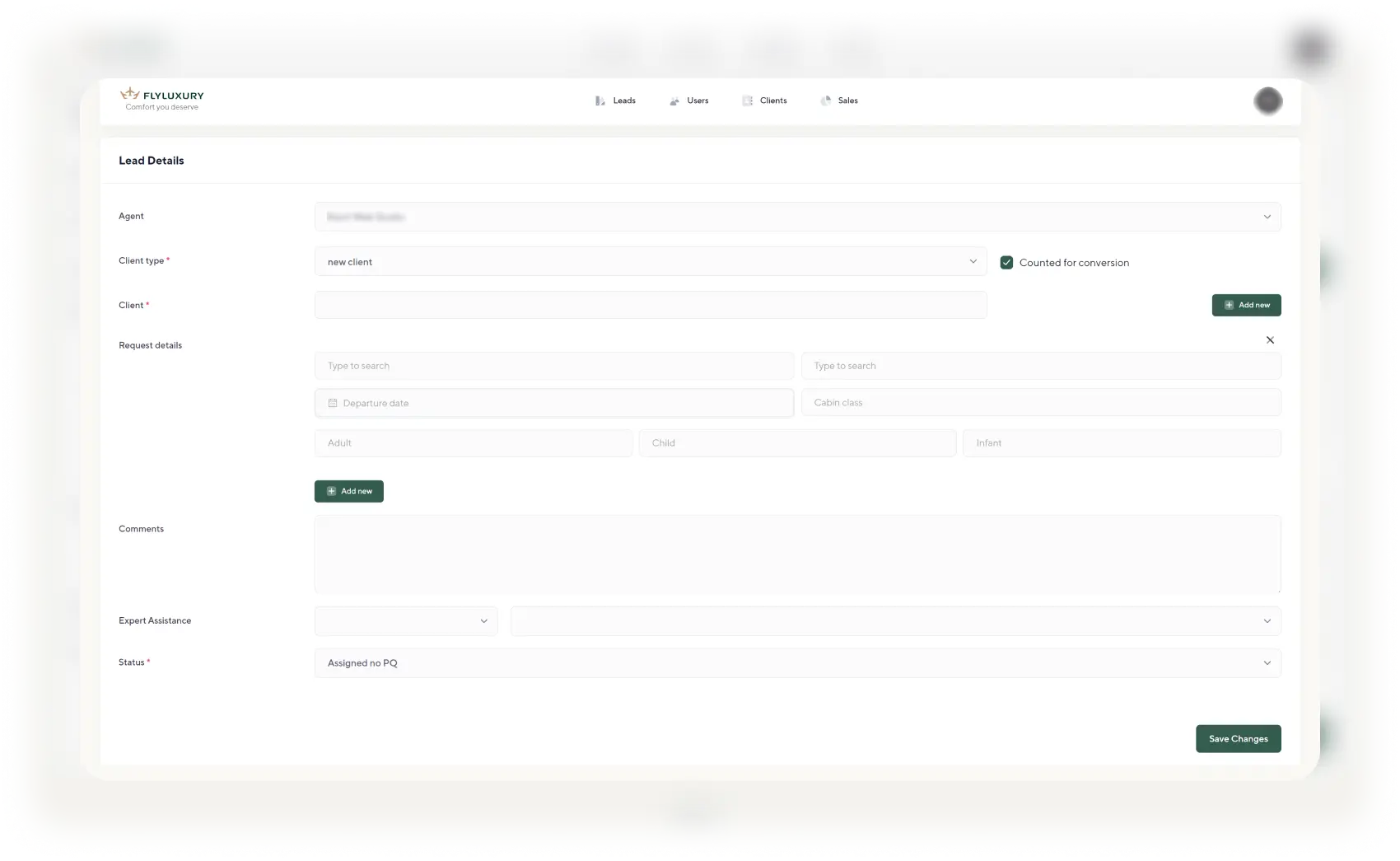
Manual Lead Addition to the System

An agent can create a new lead manually using the data received from the client in another way.
On the lead creation page, the agent will be prompted to enter client data as well as flight details and comments. After saving, the new lead will appear in the list of leads in the Leads section.
flyluxury_leads_img

#Leads

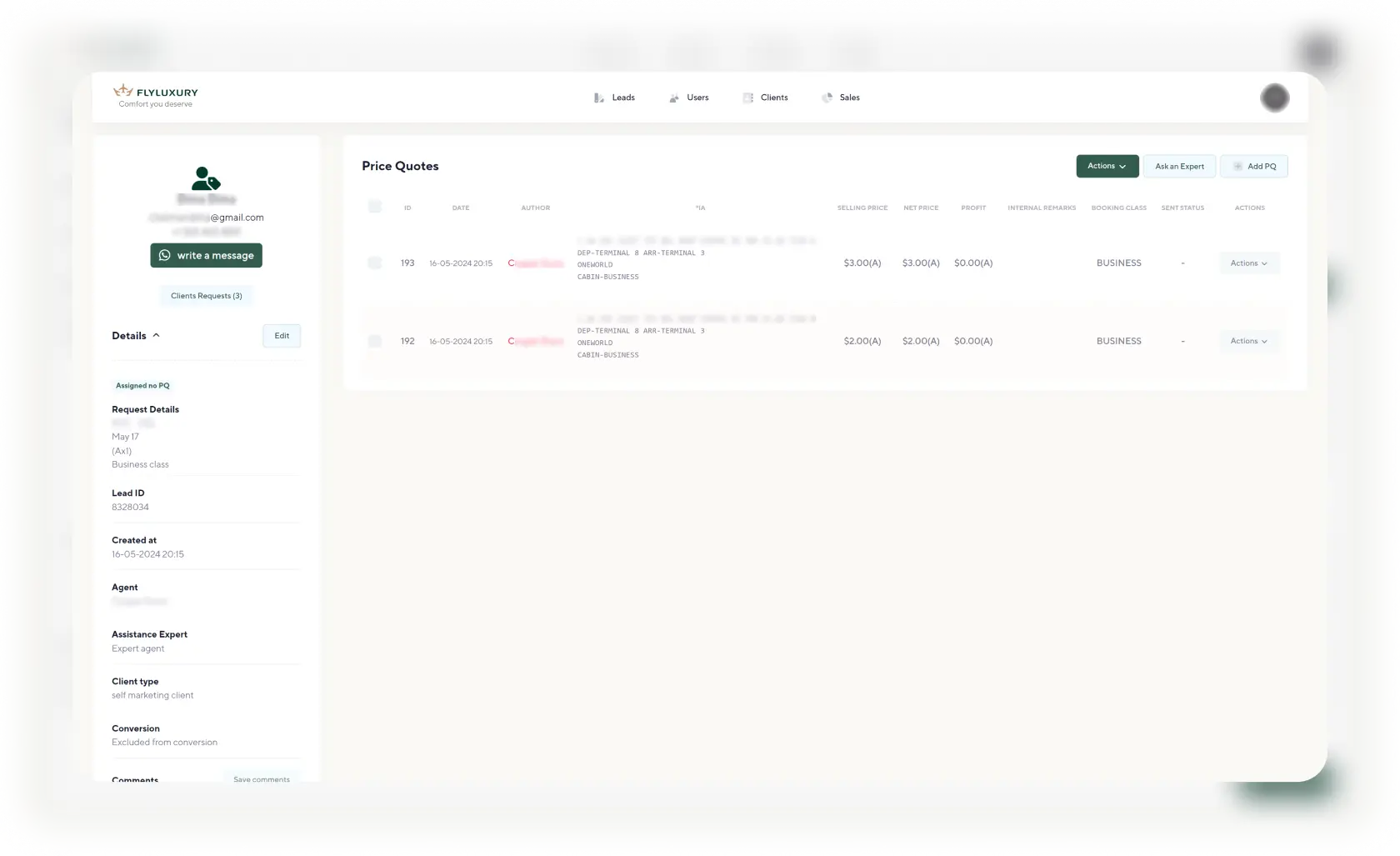
Lead Details Page

On the opened lead page, you can see:
- Client’s name, email, phone, client type, lead status, lead ID, handling agent, inclusion/exclusion from conversion, UTM tag information, comment field
- Flight details - information about where and when the client plans to travel, with whom, and what class
- Reached indicator - the agent can change this status if contact with the client has been made.
flyluxury_leads_img

#Leads

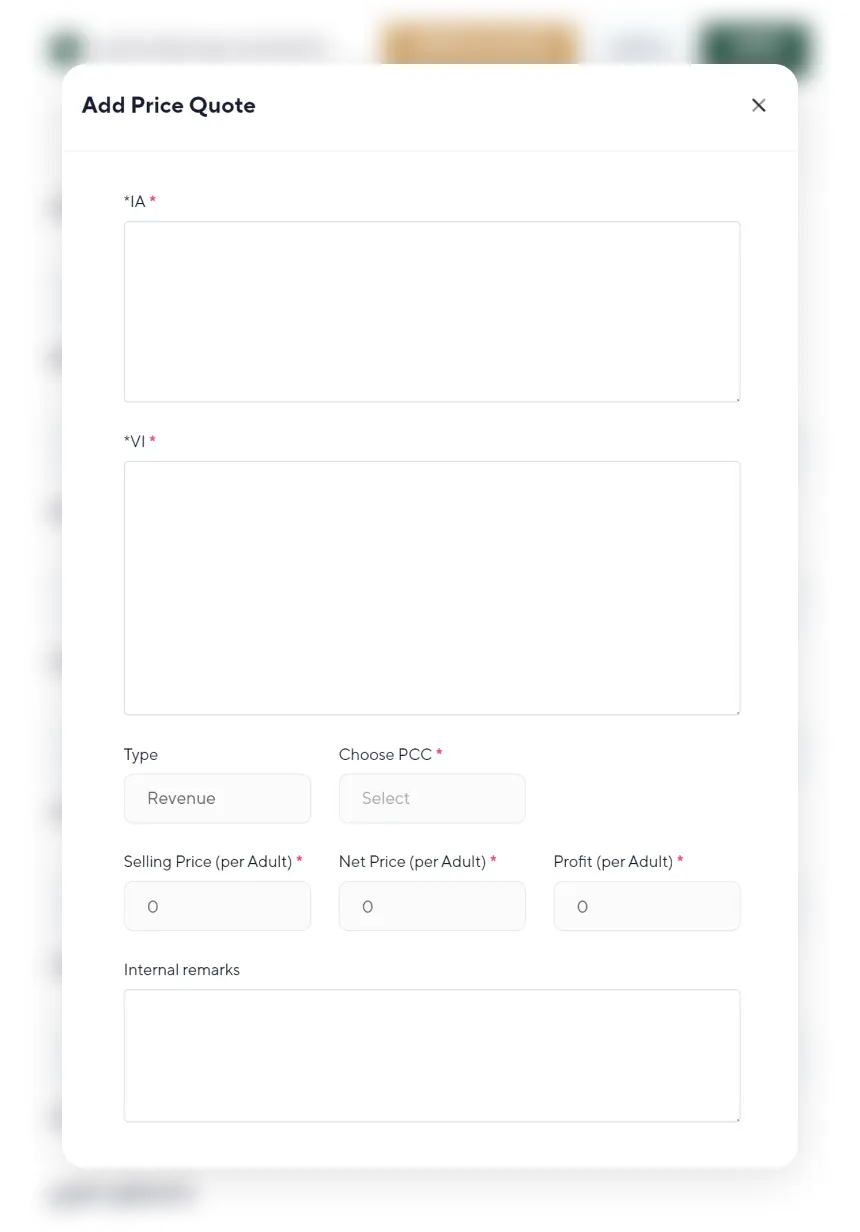
Creating a Price Quote (PQ)

When creating a new price quote (PQ), the agent is presented with a form that encodes flights, departure/arrival date and time, city, airport, airline.
The agent can also specify the type of PQ, sales price, purchase price, see the profit from the sale, and add additional comments visible only within the CRM.
flyluxury_leads_img

#Leads

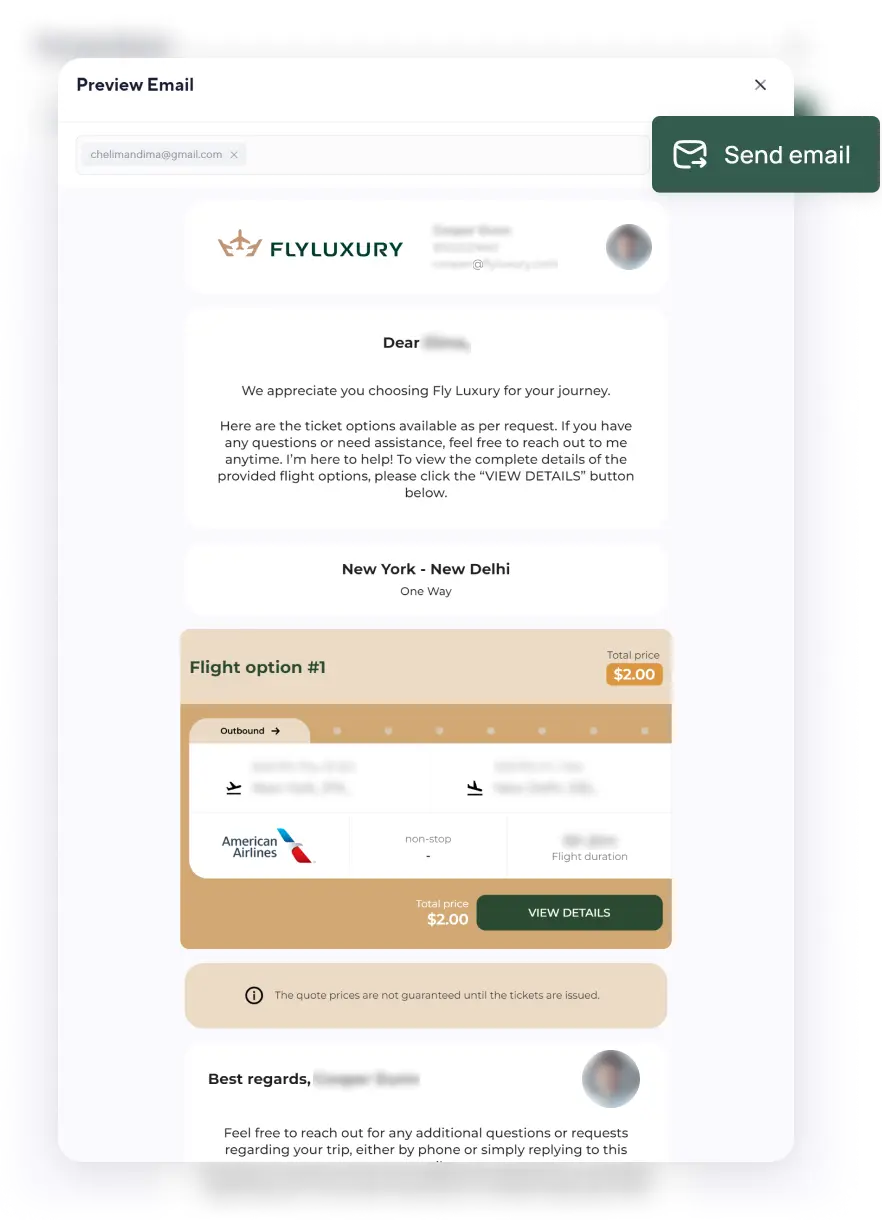
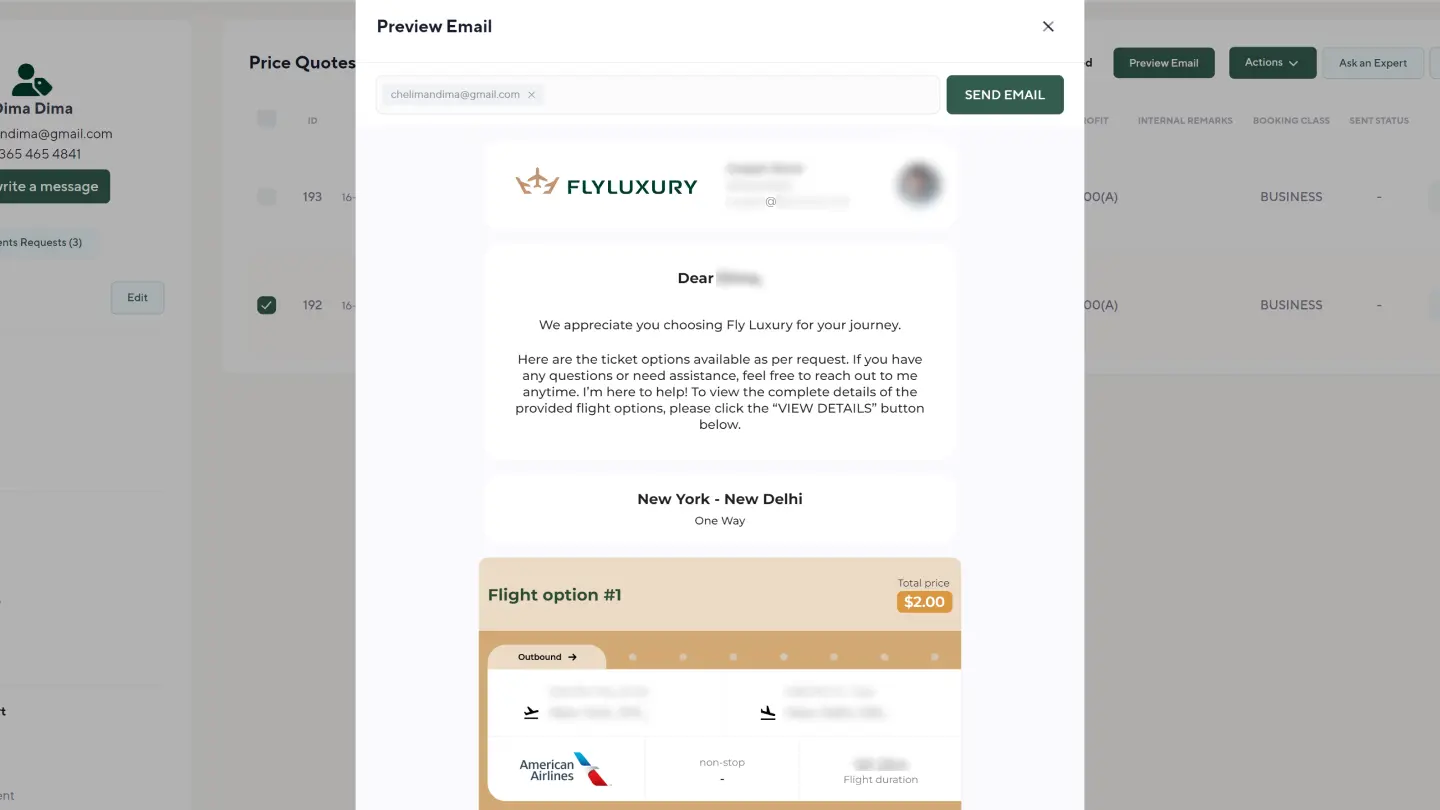
Sending Proposal Emails for Ticket Purchases

Before sending a PQ, it can be previewed in the same format that it will be displayed to the client when they open it.
A copy of the sent email with proposals will be sent to the email of the agent assigned to the lead.
background_logo

#Sales

Sales Section

background_ticket

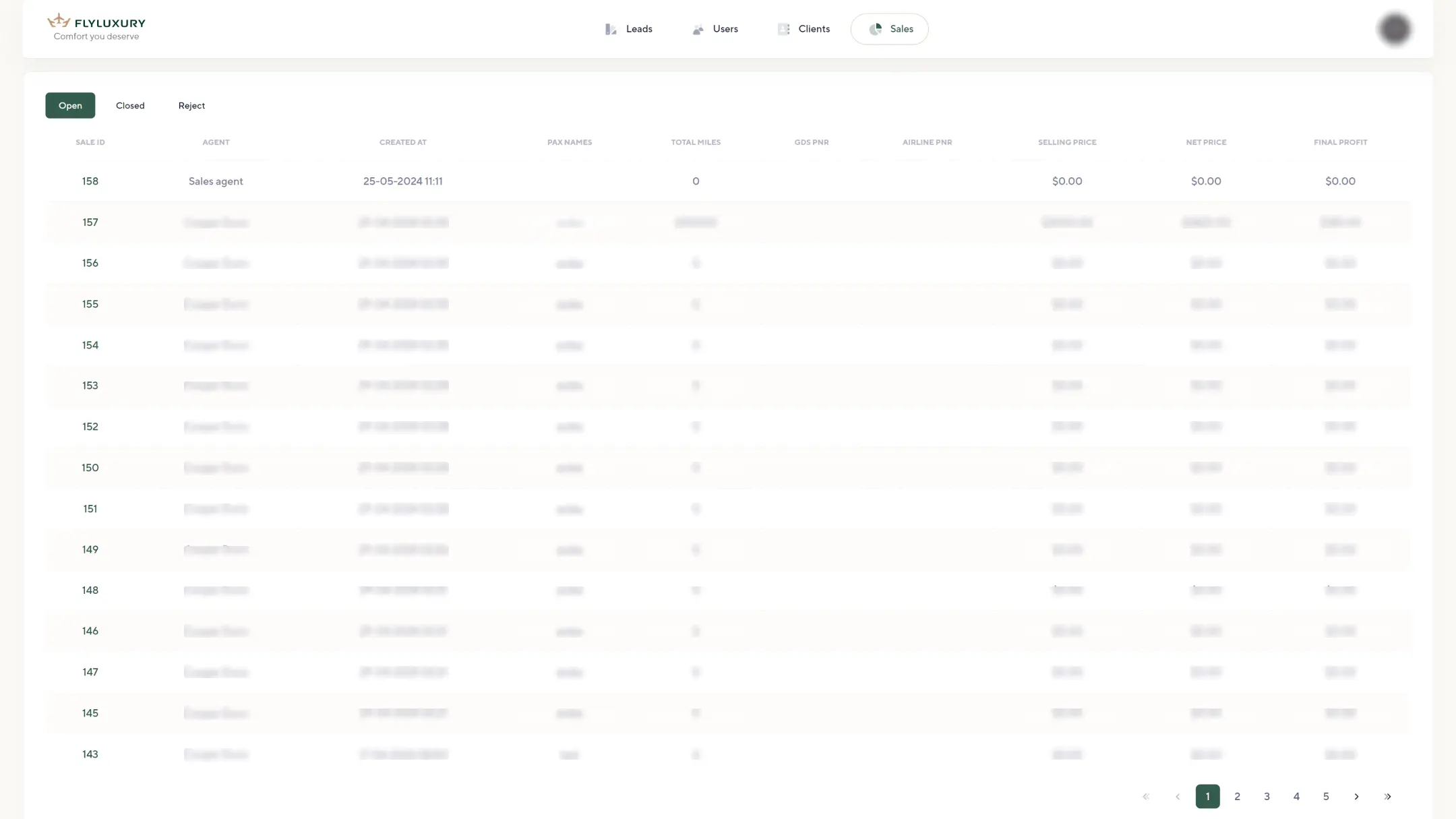
Main

The section contains a list of airline ticket sales deals with filtering options for those that are “In Progress,” “Successfully Closed,” or “Cancelled.”
flyluxury_sales_list_img
background_ticket
flyluxury_sale_details_img

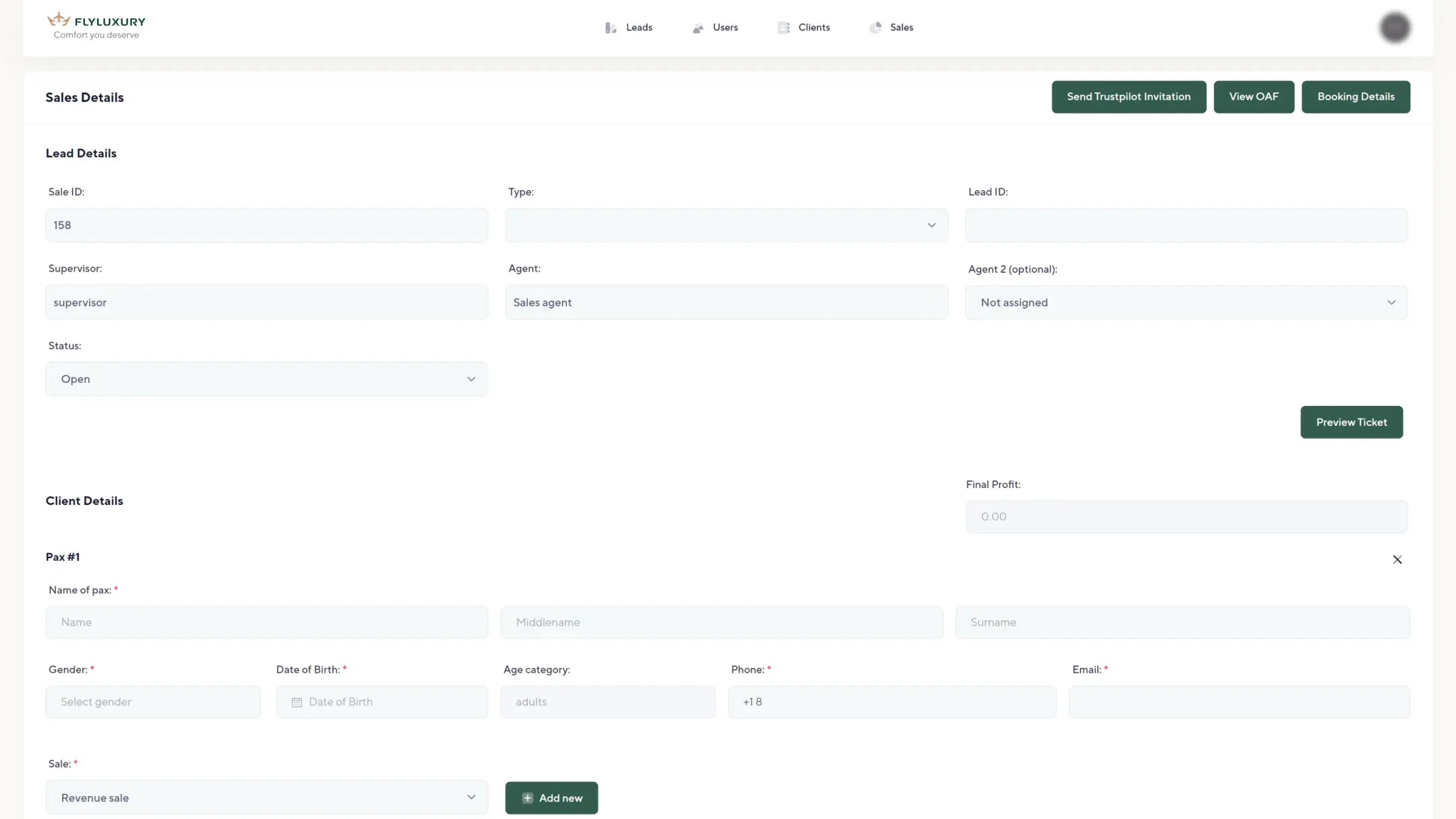
Sale Details Page

• Info about the lead, offer + agent for this sale.
• Info about the accepted client offer,
• Info about the list of flights, each of which should manually include Airline PNR, additional services ordered by the client
• Info about the client’s credit card details.
• “View OAF” function
• “Booking Details” function
• Sending an email with tickets to the client
background_ticket

“View OAF” Function

Displays the information the client provided when filling out the “Booking OAF” when ordering tickets. (View-only mode)
flyluxury_sale_details_img
background_ticket
flyluxury_sale_details_img

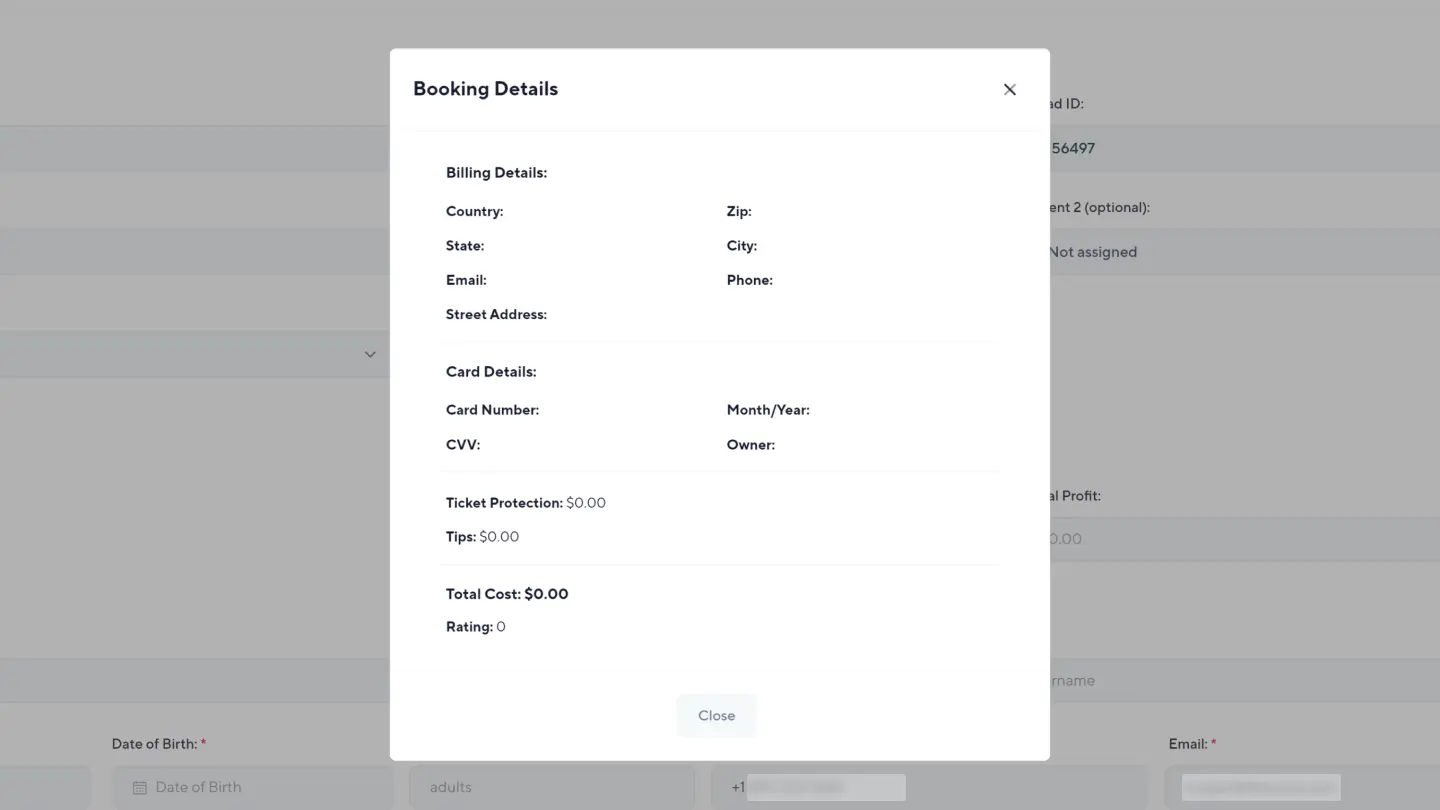
“Booking Details” Function

Displays in a popup window, data for “Billing Details,” “Card Details,” and “Additional Purchases”
background_ticket

Sending Tickets

Sending tickets to the client via email. At the same time, data is sent to the Trustpilot service for service rating.
flyluxury_sale_details_img
background_logo
flyluxury_users_list_img
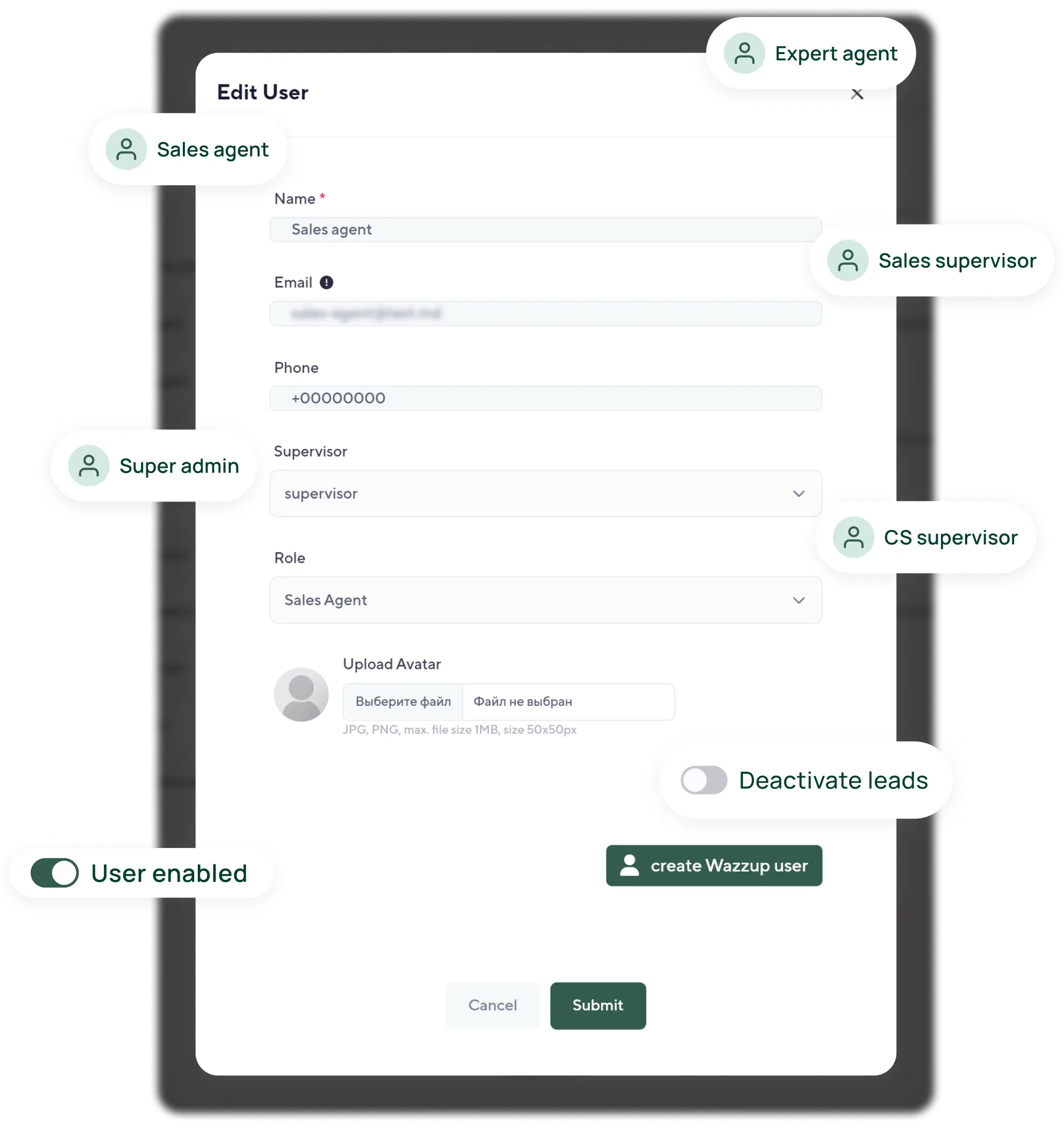
flyluxury_edit_user_img

#USERS

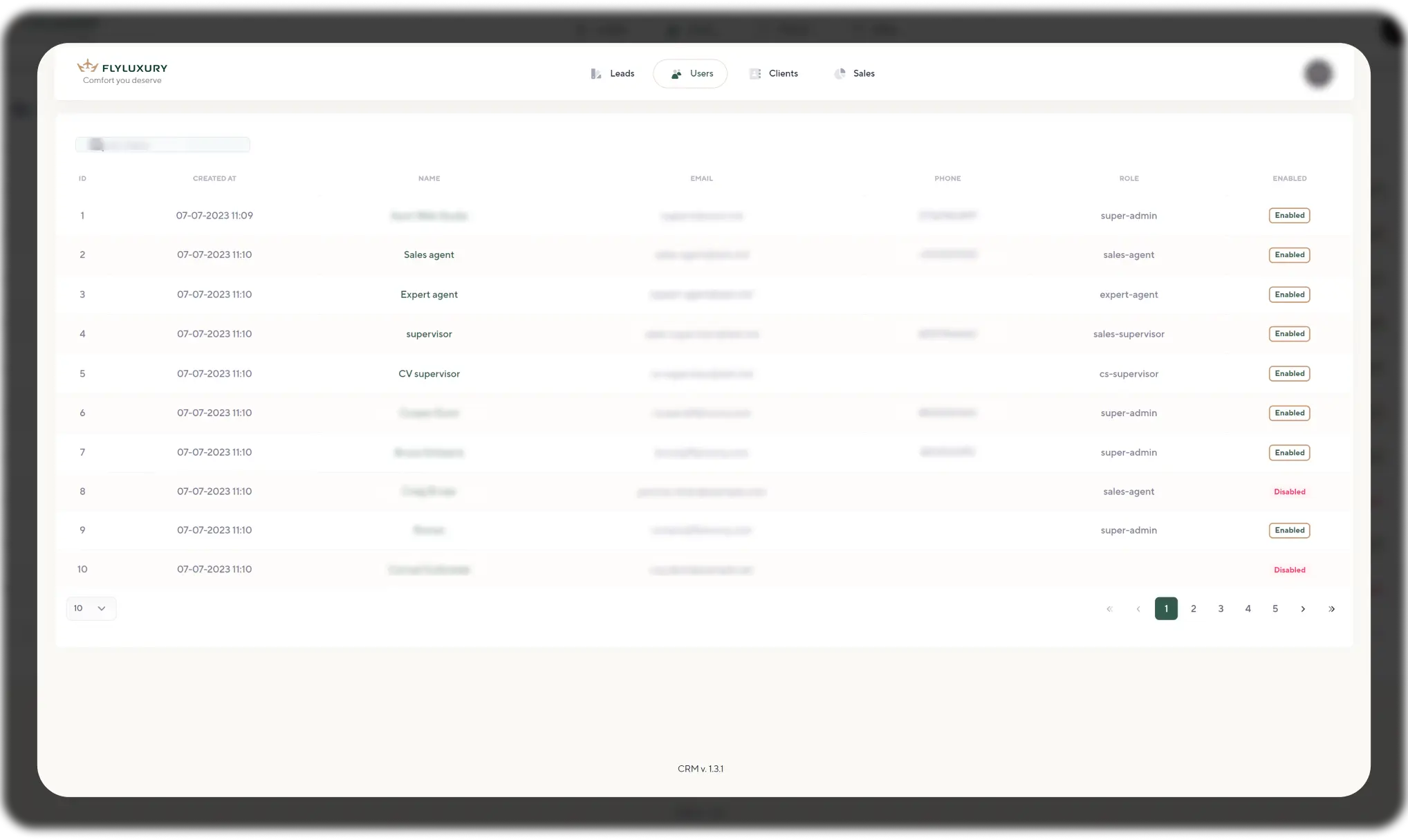
Users Section

This section is intended for managing system users.
• Adding/removing users from the system
• Assigning “roles” (depending on the role, the user has access to specific functionalities)
• Suspending accounts
• Disabling users from their active requests
background_logo
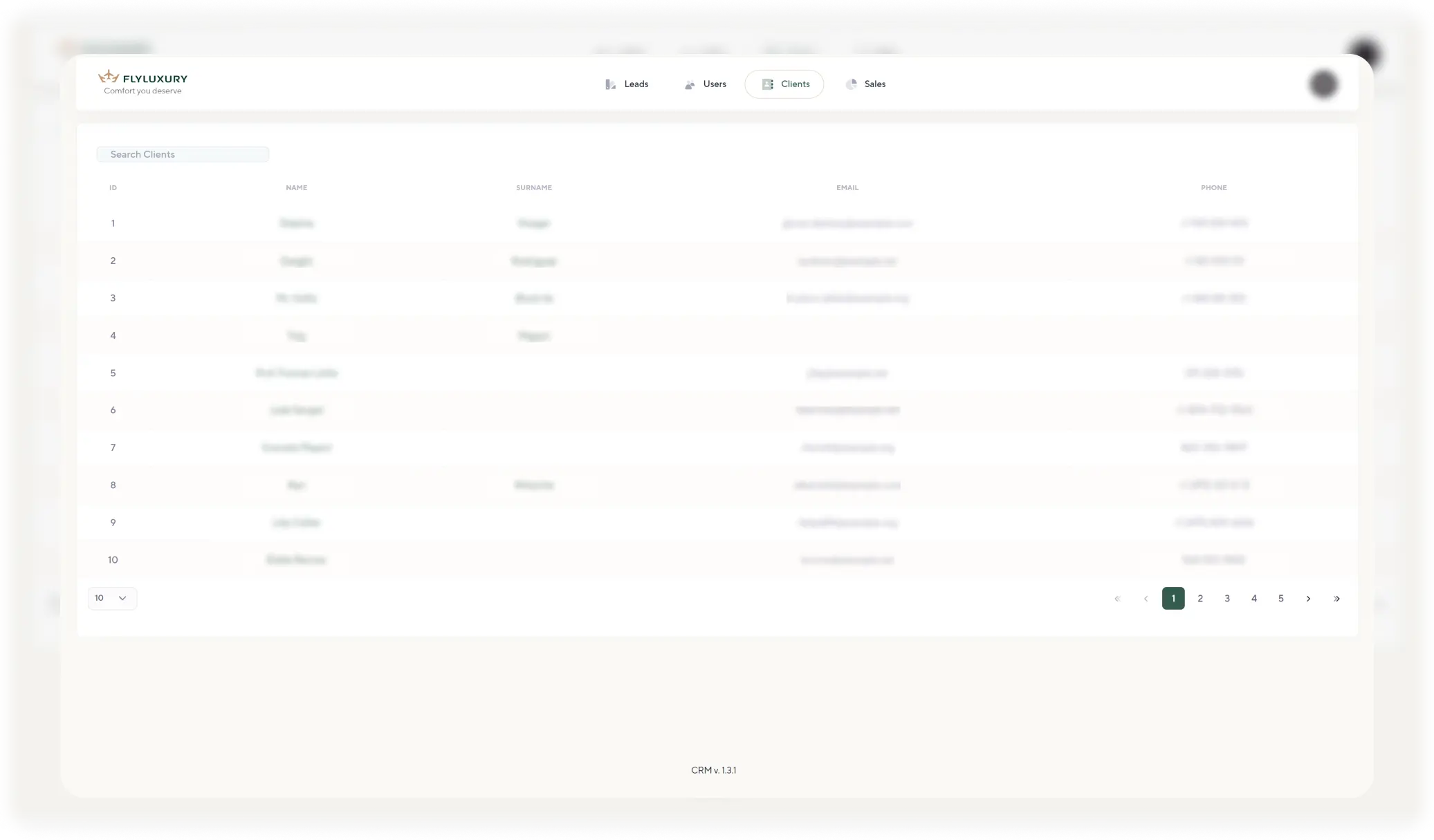
flyluxury_clients_list_img

#Clients

Clients Section

Storing client information in the CRM system provides the following advantages:
1. Service personalization
2. Increased client loyalty
3. Improved client service
4. Marketing opportunities
5. Analytics and forecasting
6. Process automation
7. Relationship management with partners
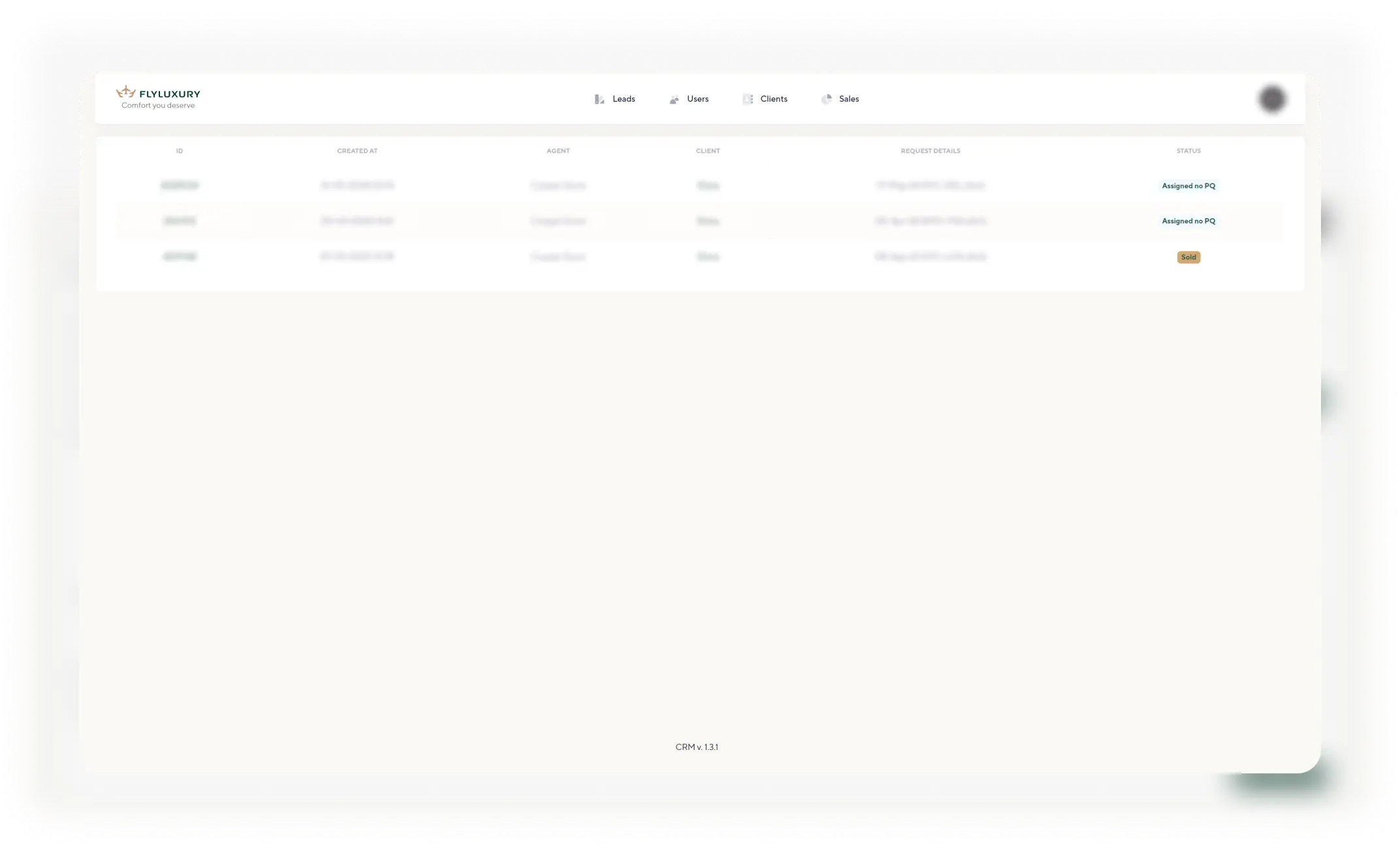
flyluxury_one_client_history

#Clients

Client Lead History

The agent has the ability to view a list with the history of leads for the client they are servicing.
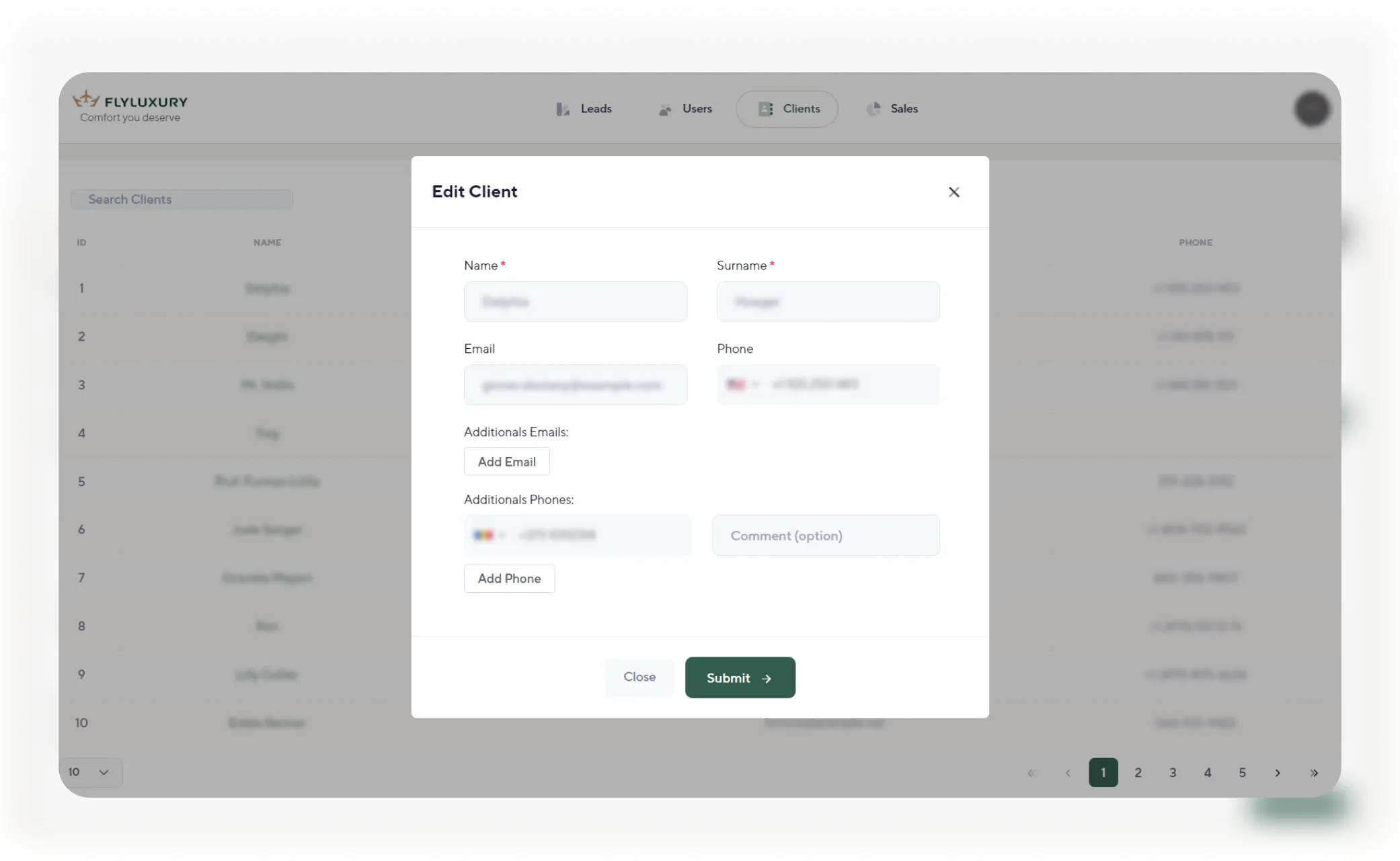
flyluxury_edit_client_img

#Clients

Data Editing

If necessary, the system allows for editing client data. This way, up-to-date client information can be maintained.
background_logo
flyluxury_flylux_overview_img

Final Results

The Flyluxury CRM is used by agents and their managers to track new and current requests, create and send emails with ticket purchase offers to clients, record information about purchased tickets, and send e-tickets after purchase.

#Reviews

Reviews

block_background_flyluxury

My name is Kelmanovich Dmitry, and I am the co-founder and managing partner of FLY TRAVEL USA LLC, which successfully operates in the USA under the Fly Luxury brand.

Two years ago, I reached out to Xsort and personally to Alexander with a request for potential collaboration. We had two key objectives: developing our own CRM system that would fully meet our needs and creating a modern, adaptive website with subsequent integration of all incoming requests into the CRM.

From the very beginning, our interaction with Xsort was marked by a high level of professionalism, attention to detail, and a deep understanding of our business processes. Alexander and his team not only helped us bring our initial ideas to life but also suggested a number of valuable solutions that improved the system’s functionality and simplified the work of our sales department.

The website created by Xsort has become an essential tool for attracting clients, and the CRM system integrated with incoming requests has significantly increased the efficiency of lead processing and data management.

I can confidently recommend Xsort and Alexander as reliable and professional partners capable of solving complex tasks and taking a business to the next level.

You can get acquainted with full text here .

Similar projects

More projects

Lets work together

Your application has been successfully sent. Eroare! Reîncărcați pagina sau sunați-ne! Error! Reload the page and check the size of the attached file!